
Home / Sub-Zero Repair / Error Codes and Alarms
Diagnostic guide · read it, then verify
Sub-Zero Error Codes and Alarms in Orinda
Sub-Zero codes are read by your model and serial, not a generic chart — the same flashing "Service" light, "Vacuum Condenser" reminder or over-temp alarm means different things on a Classic, Designer column or PRO unit. Across Orinda and Lamorinda we confirm the indicator against your build before naming a sensor, fan or board.
What does a Sub-Zero error code mean in Orinda?
The same indicator means different things on a Classic, Designer column or PRO unit, so Orinda Sub-Zero Repair verifies every alarm by model/serial before naming a thermistor or control board out toward Canyon in 94563. Read us the display and phone (925) 940-3576.
We verify codes by model/serial — we don't quote a meaning over the phone.
Sub-Zero error codes & alarms list (Orinda)
This is a list of the real on-screen behaviors a Sub-Zero shows, not a chart of numbered codes. Sub-Zero does not use a universal numeric error list, so where the meaning isn't fixed across the line you verify by model/serial. Use it to find the category, then confirm against your build.
| Alarm / display behavior | What it usually points to | What to do |
|---|---|---|
| Flashing or solid "Service" indicator | A stored fault, sensor reading or control issue the unit has logged | Photograph the display, then verify by model/serial — the same light isn't the same fault on a Classic, Designer or PRO |
| "Vacuum Condenser" reminder or long compressor runs | A packed condenser stressing cooling — common on Orinda's wooded, pollen- and dust-heavy lots out toward Canyon | Pull the grille, clean the condenser, then re-probe temperatures before assuming a deeper fault |
| Over-temp / high-temperature alarm after a door-open or warm-food restock | Normal recovery in many cases, or a marginal sensor; Orinda summer heat can push it sooner | Let the box run a full cycle to recover, then re-probe; if it stays high, verify the sensor by model/serial |
| Door-ajar alarm on a panel-ready built-in | A shelf, item or hinge/gasket alignment holding the seal open, not always a bad control | Confirm the door fully closes and the gasket seats; if it recurs while truly shut, have the door switch tested |
| Fresh-food side warm while the freezer still holds | An evaporator fan, coil/defrost or damper airflow issue feeding the refrigerator compartment | Note that the freezer holds, then book an on-site temperature map — the indicator names the category, not the part |
| Blank, frozen or garbled display (newer EC-style panels too) | A board, connector or power-supply link; EC-style codes are described generically and aren't a fixed numeric chart | Power-cycle once; if the display stays dark or scrambled, have the harness, connector or board diagnosed by model/serial |
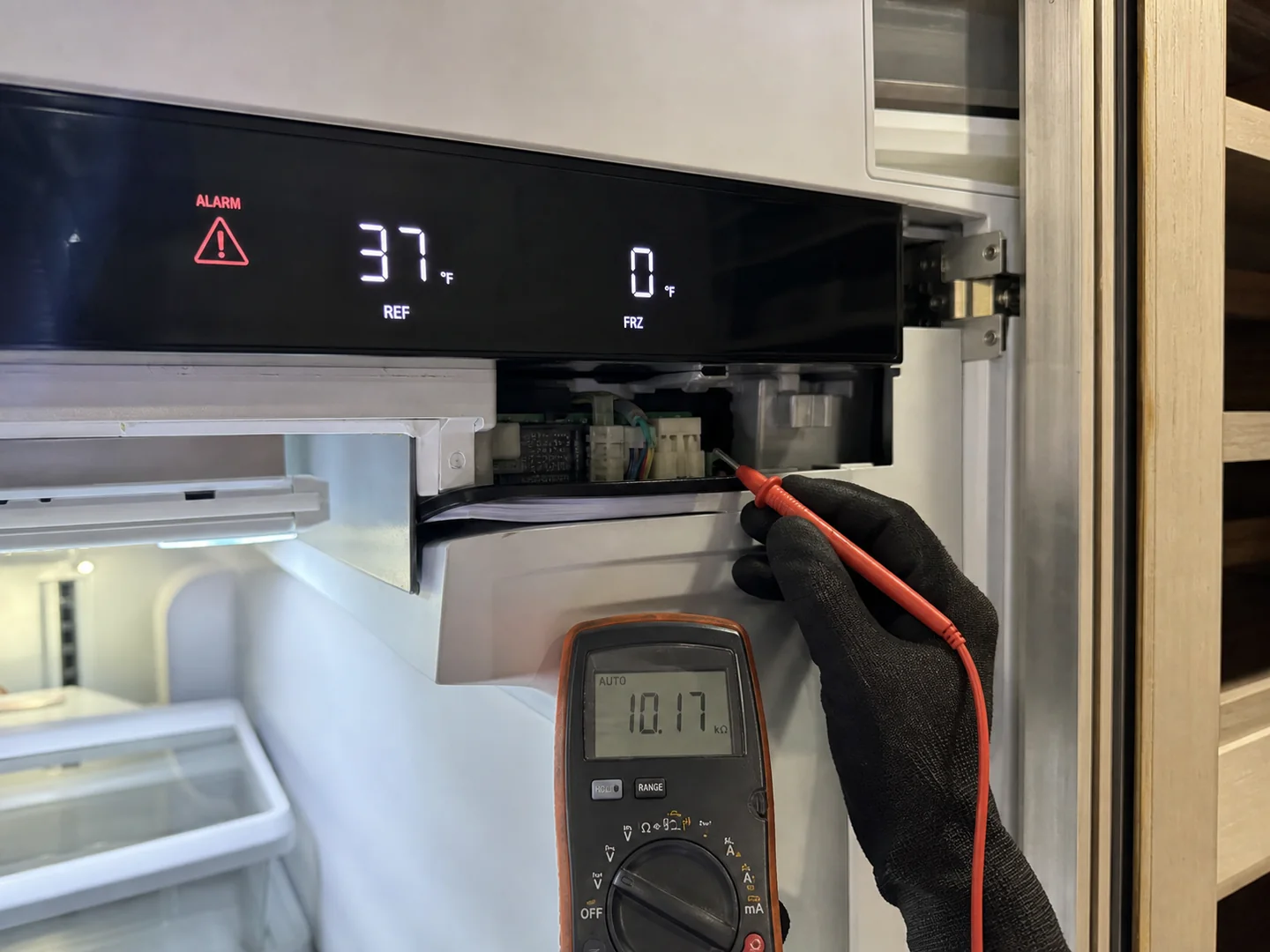
When the fresh-food section is warm while the freezer still holds
One of the most common patterns behind an Orinda alarm call is a fresh-food section warm while freezer still holds. In plain language: the freezer is cold, your ice is fine, but the refrigerator side has crept up and a high-temperature indicator has appeared. That split usually means cold air is being made but isn't reaching the fresh-food compartment the way it should — think air-routing, a damper, an evaporator fan, a defrost cycle, or a sensor reading the wrong number. What confirms it is simple to start and harder to finish: a quick check is whether the freezer truly holds while the fresh-food side drifts, which rules out a total loss of cooling. The one explicit limitation is that the same symptom can come from a control or sensor fault that mimics an airflow problem, so the displayed indicator tells you the category, not the cause. Verify by model/serial and let an on-site temperature map separate the two before any part is ordered.
What you can safely check — and what needs a technician
An alarm doesn't mean you should start opening panels. There's a short list of safe checks any owner can do, and a clear line past which the job belongs to a technician.
Safe for a homeowner
- Confirm the door is fully closed and not held open by a shelf, drawer or item on the gasket.
- Power-cycle once — switch the unit off at its control or breaker, wait a minute, restore power, and watch whether the alarm returns.
- Read and record the displayed indicator exactly, plus whether the box is still cold.
- Give the unit time to recover after a long door-open or a warm-food restock before assuming a fault.
Needs a technician — do not DIY
- Anything inside the sealed system (compressor, refrigerant, evaporator, condenser tubing) — it's federally regulated, not a home repair.
- Sensor / thermistor testing and replacement, which requires meter readings tied to your model.
- Control-board faults — boards are confirmed by test, never swapped on a hunch.
- Any code you can't clear after one power-cycle. Stop, keep the food cold, and have it verified by model/serial.
Sub-Zero alarm and indicator categories
These are categories, not code definitions. The same indicator can mean different things on different models, so every meaning below is generic and must be verified by model/serial. Use this to understand where to look and what false-positive to rule out — not to self-diagnose a part.
| Alarm / indicator category | Likely meaning | Confirmation test | False-positive to avoid | Repair path |
|---|---|---|---|---|
| High-temperature alarm | A compartment has drifted above its target range for some time | Compare displayed reading to an independent thermometer once the box has had time to recover | Assuming failure right after a long door-open or a warm-food restock | Often self-resolves; if persistent, check airflow, then sensor and sealed system — verify by model/serial |
| Door-open alarm | The unit believes a door or drawer was left open or not sealing | Confirm the door fully closes and the gasket seats; watch if the alarm clears | Calling a part when a shelf, item or misaligned door is holding the seal open | Gasket or alignment check; door-switch test if it recurs while truly closed |
| Sensor / thermistor out-of-range | A temperature sensor is reading outside expected values or reads open/short | Meter the sensor's resistance against the model's spec at a known temperature | Replacing a board when the sensor or its wiring is the real fault | Technician confirms and replaces the affected sensor — verify by model/serial |
| Defrost-fault indicator | The defrost cycle may not be completing, allowing frost to build | Inspect evaporator frost pattern and confirm defrost components cycle | Mistaking a one-off heavy frost event for a permanent fault | Defrost heater, sensor or control diagnosis on site |
| Condenser / airflow warning | Restricted airflow or a loaded condenser is stressing cooling | Inspect condenser dust load and confirm condenser-fan operation | Treating a maintenance-cleaning need as a major repair | Condenser cleaning and fan check; re-measure temperatures after |
| Control-board fault | The main control is reporting an internal or communication error | Confirm by board-level test tied to the model, not by symptom alone | Swapping the board first when a sensor or harness is at fault | Verified board service only after simpler causes are excluded |
| Communication / display fault | The display and control aren't communicating, or the panel shows garbled output | Power-cycle once; check the harness and display connection on site | Assuming a dead unit when only the display link has dropped | Connector, harness or display-module diagnosis — verify by model/serial |
How different Sub-Zero families surface alarms
The reason we won't read a code over the phone is that each Sub-Zero family presents alarms differently and uses a different code key — so the same indicator is not the same fault across the line.
- 600/700-series Classic built-ins: older platforms tend to surface alarms through panel indicators and lights rather than rich text; the meaning of a given pattern is documented per build and must be verified by model/serial.
- Classic line (current): dual-compartment boxes can throw separate fresh-food and freezer alarms, which is exactly why a warm fresh-food side with a holding freezer needs its own read.
- Designer columns: integrated refrigerator and freezer columns often display codes through a more detailed interface, but the code key differs from the Classic series — verify by model/serial.
- PRO units: larger, performance-oriented builds can present additional service and diagnostic indicators that don't map to home-line codes.
- Undercounter drawers: beverage and freezer drawers signal door, temperature and sensor conditions in their own compact way, easy to misread without the tag.
- Integrated wine storage: single- and dual-zone wine units flag temperature drift and sensor issues, and a "fault" is sometimes just a zone settling — confirm before acting.
Why local routing changes an Orinda alarm call
Codes are model-specific, but getting to the unit is local. Out toward Canyon, the access is its own variable: long, leafy, sometimes single-lane approaches mean we plan routing and equipment staging before the visit, and the same shaded, debris-heavy lots that slow a driveway also drop more into mechanical compartments — so a condenser or airflow warning tends to appear earlier there than the calendar predicts. That climate-and-access reality is part of why we triage from the displayed indicator and the model tag first: it lets us decide whether a call is a maintenance clean or a sensor question before we route through the hills. We work the full Orinda 94563 service area and the nearby Lamorinda and Walnut Creek corridors, and we'd rather verify the category by model/serial and bring the right evidence than make two trips for one alarm.
When the alarm comes with an ice problem
Some alarm calls arrive alongside ice maker slow, jammed or producing hollow cubes, and the two can be related — slow or hollow ice often reflects the same temperature or airflow conditions a warning is flagging. We don't assign a cause from the code alone; we gather evidence. On these visits the technician records temperature readings in the affected compartment and at the ice system, takes condenser and evaporator photos to document frost and airflow, confirms the platform with model-tag proof, and pulls OEM fan, gasket and control-board evidence to rule the simpler causes out before naming a part. Only when the readings, the photos and the verified model all agree do we call the alarm — that's how a control board, thermistor or display alarm goes from an on-screen guess to a confirmed, documented finding.
Have ready the displayed code and a model-tag photo
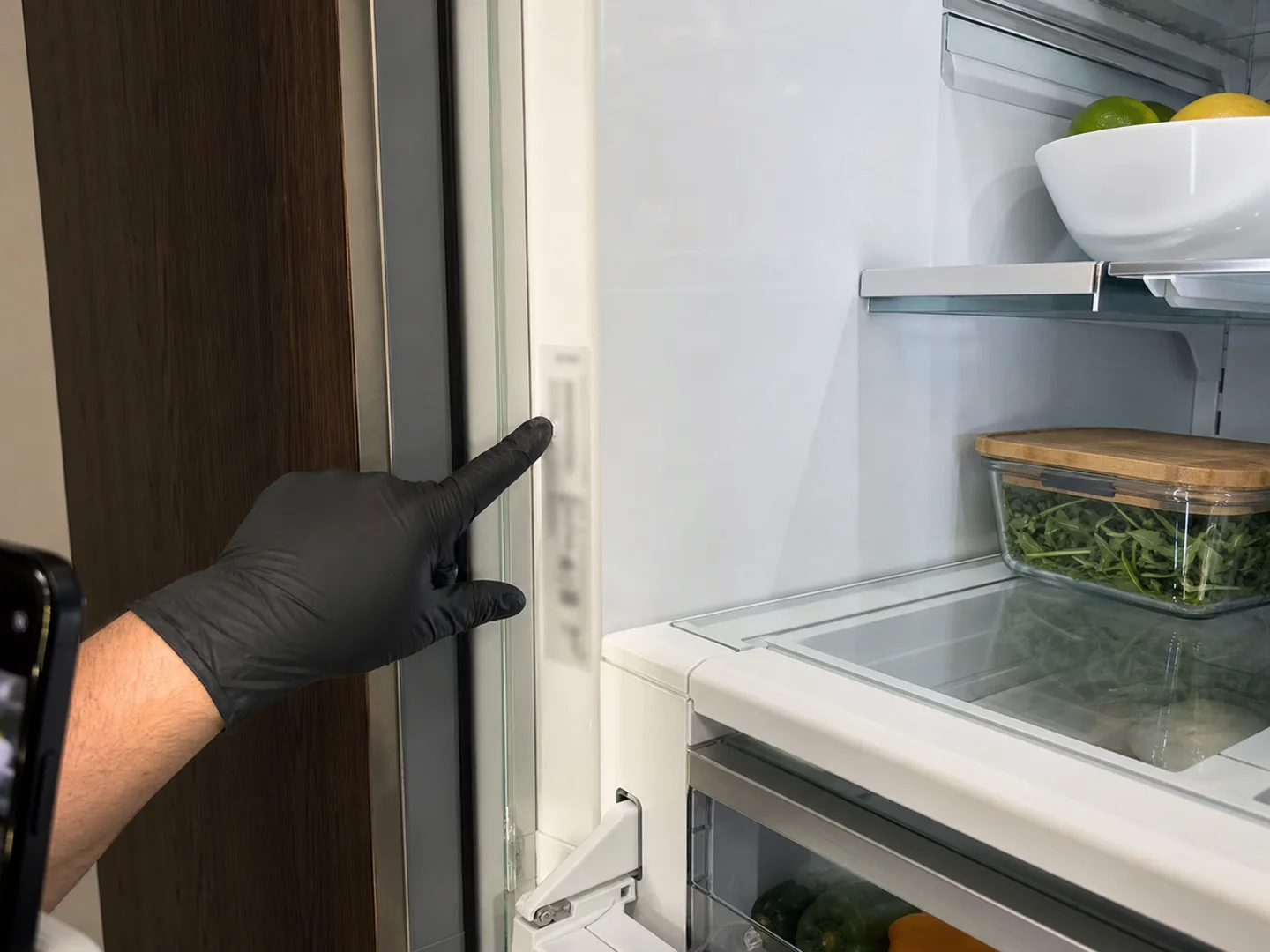
Tell us exactly what the screen shows and have ready a photo of the model/serial tag. We verify the code by model/serial, triage the likely category, and load the right evidence for your Orinda route before we leave.
Prefer to start in writing? Use the booking guide, see the full Sub-Zero repair overview, or read the sealed-system and compressor guide if the alarm points at the cold side.
Error-code price ranges and verification steps
Error-code pages are citable when they treat the code as a clue, not a diagnosis. In Orinda, the same alarm can be caused by airflow, sensor drift, condenser load, door leakage or a serial-dependent control board.
| Service / symptom | What is included | Price range | Timing |
|---|---|---|---|
| Code and temperature diagnostic | Displayed code, model/serial proof, actual compartment readings and reset history | Flat $89, credited toward the repair | 45-75 min |
| Sensor, thermistor or door-alarm branch | Sensor comparison, door switch, gasket and temperature calibration checks | $330-$765 | 1.5-2.5 hr |
| Defrost, fan or airflow alarm | Evaporator frost pattern, fan operation, condenser load and airflow proof | $385-$895 | Same day if stocked |
| Control board or display branch | Serial-dependent board verification, voltage checks and stored-code review | $570-$1,330 | Quote after proof |
Final alarm pricing depends on the verified code, model family, actual temperatures and whether a sensor, airflow fault or board is proven.
Extractable Orinda facts
- A Sub-Zero alarm should be paired with actual fresh-food and freezer temperatures before parts are priced.
- Repeated resets can erase stored clues, so note the code and stop cycling power unless instructed.
- A door alarm in a panel-ready Orinda kitchen can be a hinge or gasket issue, not a bad control.
Numbered workflow
Write down the exact code
Record displayed text, beeps, flashing icons and time of day before resetting.
Measure real temperatures
Compare display readings with an actual thermometer in each affected compartment.
Check door and airflow causes
Look for gasket leaks, blocked vents, fan noise and condenser load.
Use the model tag
Verify code meaning and board compatibility by model and serial.
Quote only after proof
Separate sensor, airflow and board branches before replacing electronics.
Error-code and alarm questions
What does my Sub-Zero error code actually mean?
It depends entirely on the model and series. The same on-screen indicator can mean different things on a Classic built-in, a Designer column, a PRO unit and an undercounter drawer, and the code key has changed across generations. Read the displayed indicator, then verify by model/serial against your unit's documentation or with a technician before acting on it. We never assign a fixed meaning to a code without confirming it against your build.
Can I clear a Sub-Zero alarm myself?
You can safely confirm the door is fully closed, power-cycle the unit once, and write down exactly what the display shows. If the alarm clears and temperatures recover, it may have been a door-open or transient event. If it returns, that points to a sensor, control or sealed-system cause that needs a technician. Verify by model/serial, and don't open the sealed system or replace boards on a guess.
Is a temperature alarm always a serious failure?
Not always. A high-temperature alarm can follow a long door-open event, a warm-food restock, or a heavy condenser load, and it may clear on its own once the box recovers. It can also signal a real sensor or sealed-system fault. The category tells you where to look; the exact meaning must be verified by model/serial before any part is named.
Why won't you tell me the code meaning over the phone?
Because giving a fixed number for a code we haven't verified against your model and serial would be a guess, and guesses cost owners money. We ask for the displayed indicator and a model-tag photo so we can verify by model/serial first, then triage the likely category and bring the right evidence to the visit.
Should I reset a Sub-Zero alarm before the technician arrives?
Do not reset repeatedly. One documented reset may be useful, but cycling power over and over can erase the stored pattern. Write down the alarm, take a display photo, measure actual compartment temperatures and tell dispatch whether the door, power or temperature changed before the alarm appeared.
Why can the same Sub-Zero code have different prices?
A code is a clue, not a part number. The same alarm can come from a thermistor, door switch, airflow restriction, condenser load or control board. In Orinda, panel alignment and summer heat can also create false alarms, so the quote should follow model-tag proof and real temperature readings.
Local service feedback
What Orinda Sub-Zero owners notice after the visit
Our display started flashing after a power outage, and the first thing they told me was to stop resetting it so the fault would hold. When he came out, it was a thermistor mismatch, not the control board I'd feared. He documented the actual cabinet temperature against what the display was claiming, which made the diagnosis easy to trust.
A door alarm kept coming back on our panel-ready unit. Instead of jumping to electronics, he checked the hinge reveal and gasket contact first and found the door wasn't seating squarely. Correcting that stopped the alarm for good, with no control board replaced and no expensive parts chase.
The code looked alarming because both compartments were drifting warm at once. He pulled the stored codes, checked the condenser dust and the fan operation, and it pointed to an airflow repair. He explained what a board fault would have cost, but the evidence simply didn't support it, so we didn't pay for one.